Dashboard Tour
The dashboard is the main workspace for BarnBuddy.
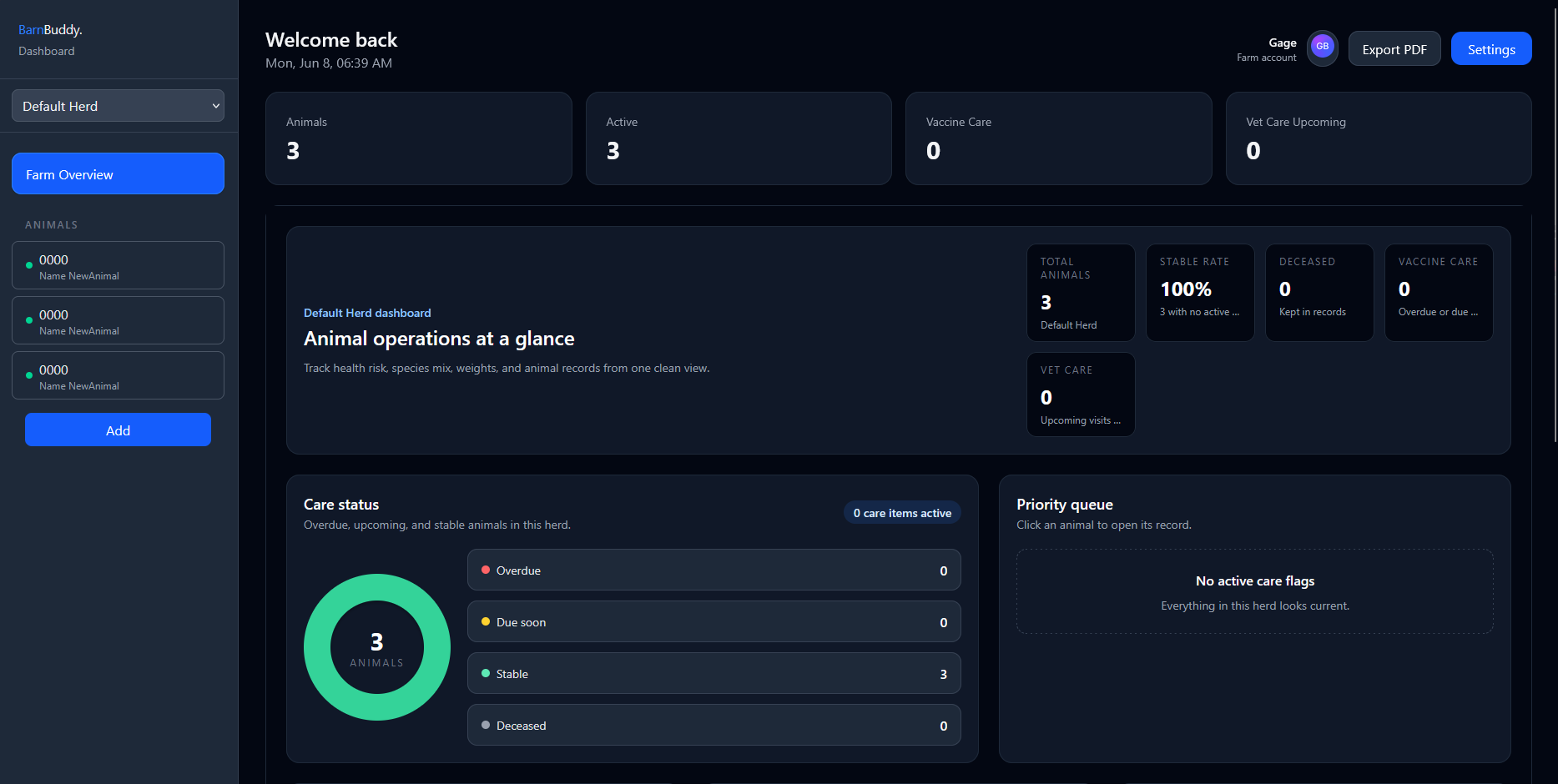
Main Areas
- Herd selector: Choose which herd you want to view.
- Farm Overview: View herd-level counts, care status, and upcoming tasks.
- Herd Feed: Open herd-level feed records. This is a Premium feature.
- Herd Finances: Review income, expenses, feed costs, vet costs, and cash flow. This is a Premium feature.
- Bulk Entry: Add one vaccination or health event to several animals at once.
- Inventory: Track supplies and optionally subtract stock when care records are created. This is a Premium feature.
- Animal list: Select an animal to open its record tabs.
- Add: Create a new animal in the selected herd.
- Export: Create a PDF export. Premium unlocks advanced exports.
- Settings: Open account and herd settings.
Animal Tabs
When an animal is selected, the dashboard shows these tabs:
- General Data: Identity, profile photo, herd, birth date, sex, weight, notes, status, and quick care dates.
- Health Records: Health events, vaccinations, and birth details.
- Weight: Add weigh-ins, view current and average weight, and follow the weight trend chart.
- Vet Visits: Visit date, vet name, reason, treatment, medications, follow-up dates, cost, and notes.
- Reproduction: Premium breeding, parentage, pregnancy, birth, and offspring records.
- Finance: Premium income, expense, and vet-cost summaries.
Auto-Save Behavior
Many fields save when you leave the field. If a save fails, BarnBuddy shows an error toast. When deleting records, BarnBuddy shows a confirmation prompt and a success toast after the delete completes.